FINANCE & SETTLEMENT SOLUTION
The Finance Layer Built for Service Networks
Cut out the financial admin from every closed work order. Automatically attach rules upon creation so by the end of the billing cycle, your client invoices and commission splits are generated with a single click.

 Work order 01ClosedWork order 02ClosedWork order 03Closed
 Create invoices in bulkSend to client
 Client pays
 Mark invoices readyReady for distributionService Centre AService Centre BService Centre C
- 1 Ready for invoicing3 closed work orders
- 2 Create invoices in bulkSend to client
- 3 Client paysPayment received
- 4 Ready for distributionMark invoices ready
- 5 Distribute invoicesService Centre A · B · C
WHAT YOU SEE
Every Calculation & Breakdown: Automated
-
Closed jobs queued and ready to invoice
-
Invoices sent and awaiting payment
-
Payments received and ready to distribute
-
Royalties pre-calculated and ready for distribution to your service centres
HOW THE FINANCE MODULE WORKS
The Finance Hub Connecting Operations and Accounting
PRE-SET RULES FOR EACH CLIENT
Set Once, Apply to Every Work Order
When you onboard a new client, you build their group scheme, where you can set royalty splits, auto-charges, authorisation limits, admin fees, and more.
-
Flexible charge thresholds per product, brand, or distance
-
Per-role visibility control
-
New work orders automatically follow the correct finance rules
 Group schemeNorthline (Warranty Fault)4 rules active


 Applied to every new work order
QUEUE JOBS FOR BILLING
From Job Closure to the Billing Queue
Royalties, admin fees, and other charges are automatically calculated every time – ready for invoicing when the billing cycle closes.
-
View closed and invoice-ready jobs
-
One queue per group scheme
-
Configurable billing cycles per client
-
Required data enforced before a job can close
 WO 392344Closed · charges calculatedReadyWO 392343Closed · charges calculatedReadyWO 392342Closed · charges calculatedReadyWO 392341Closed · charges calculatedReady
CONSOLIDATED INVOICING
Close Hundreds of Jobs. Send One Invoice.
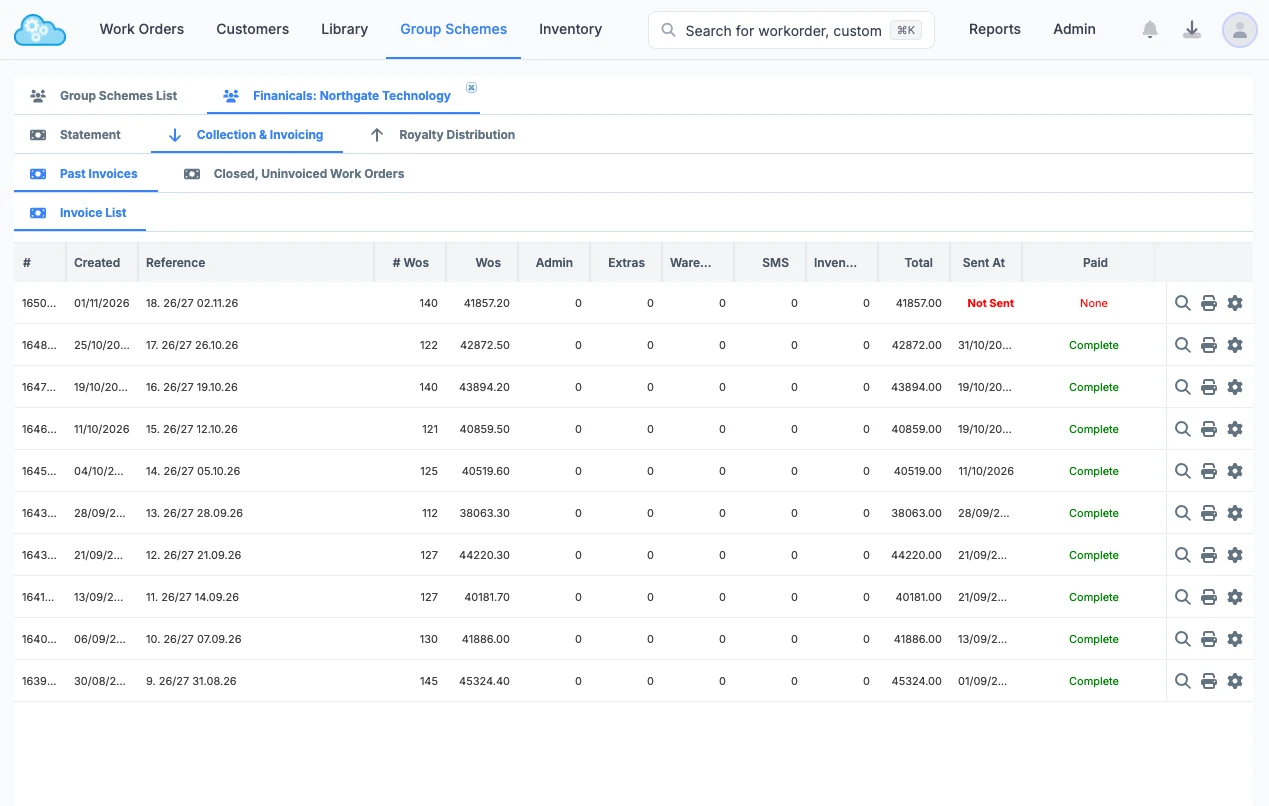
All work orders for a billing cycle consolidate into a single invoice for the client, with the level of detail they require.
-
Include multiple breakdowns on the invoice, including admin charges
-
Individual work orders, external payments, and more
-
Custom line items for warehouse charges or brand-specific requirements
-
Download, print, or send via email directly from the system
DISTRIBUTE ROYALTIES
Distribute Royalties in One-Click
When payment is received against an invoice, the funds are instantly allocated for distribution to the relevant service centres, with the splits already calculated.
-
Automatic calculations made instantly
-
Send distribution advice to every location manager from the platform
-
Full audit trail
 Invoice 16399Company · $3,778.50Paid
 40%
 Advice sent35%Advice sent25%Advice sent
 Full audit trail on every distribution
Your Month End: Made Simple
Compiling invoices and calculating royalties shouldn’t happen at month-end. Central Workflow handles everything from job creation through royalty distribution, with every transaction posted directly to Xero.
Native
Xero Integration
One-Click
Consolidated Invoicing
Live
Finance Dashboard


See The Finance Hub Behind Leading Service Networks
Schedule a demo with our team to see how the Central Workflow finance engine ensures:
-
Every work order is assigned the correct finance rules
-
Every service centre receives the correct payments
-
Your finance team stop spending month-end reconciling work order spreadsheets
 Platform walkthrough30 minute video call with our team
Frequently Asked Questions
Can the platform consolidate hundreds of jobs into a single client invoice?
Yes. Every closed job in a group scheme queues automatically, according to that scheme’s billing cycle, for consolidation into a single invoice.
How are subcontractor payments calculated and distributed?
Can the platform maintain separation between multiple brand contracts?
What royalty and commission models does the platform support?
Why choose Central Workflow over Xero and spreadsheets?
THE MODULES
There’s More to Central Workflow
WORK ORDER MANAGEMENT
Track Every Job
A central hub to create, assign, and complete work orders from start to finish.
INVENTORY MANAGEMENT
Streamline Distribution
A unified system to manage stock through its entire lifecycle.
Our Customers